

Access AWS Console (or APIs)
Enable your users to browse the AWS console (or APIs) behind Border0 access controls and auditing capabilities.
Border0 enables access controls for AWS access by having your Border0 Connector act as an issuer of temporary session credentials for AWS.
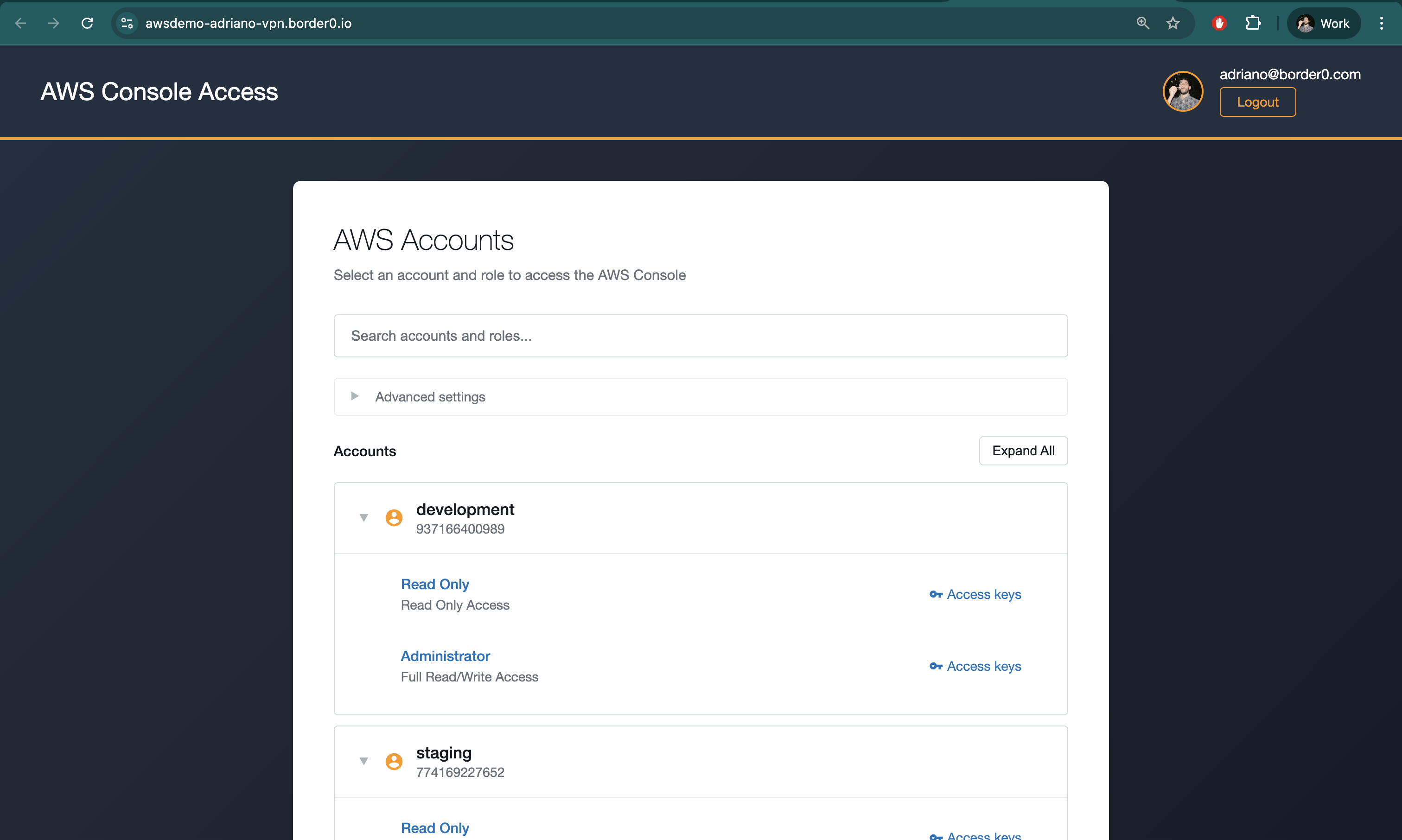
Users will authenticate against a publicly accessible URL using their Border0 credentials (including organizations' custom Identity Providers), then see a list of all AWS Accounts and AWS IAM Roles available to them, and they will be able to directly log-in to AWS Console as those roles. Additionally, they have the ability to generate session credentials for use with the AWS CLI or other programmatic access:
Creating a Border0 Socket for AWS Access
To make AWS Console access available over Border0, follow the following steps
- In the Sockets page, click on "Add New Socket" and click the AWS Access tile
- Set a name and, optionally, a description
- Configure an AWS Credentials Strategy
- If your Border0 connector sits in AWS, it is recommended to use the Default Credentials Provider Chain and add the relevant AWS STS permissions to your Connector instance's execution role
- If your Border0 connector sits outside of AWS, you will have to create static AWS IAM User credentials and either (a) provide them in plain-text to Border0 via Socket configuration, or (b) the recommended approach: use a supported secrets management strategy
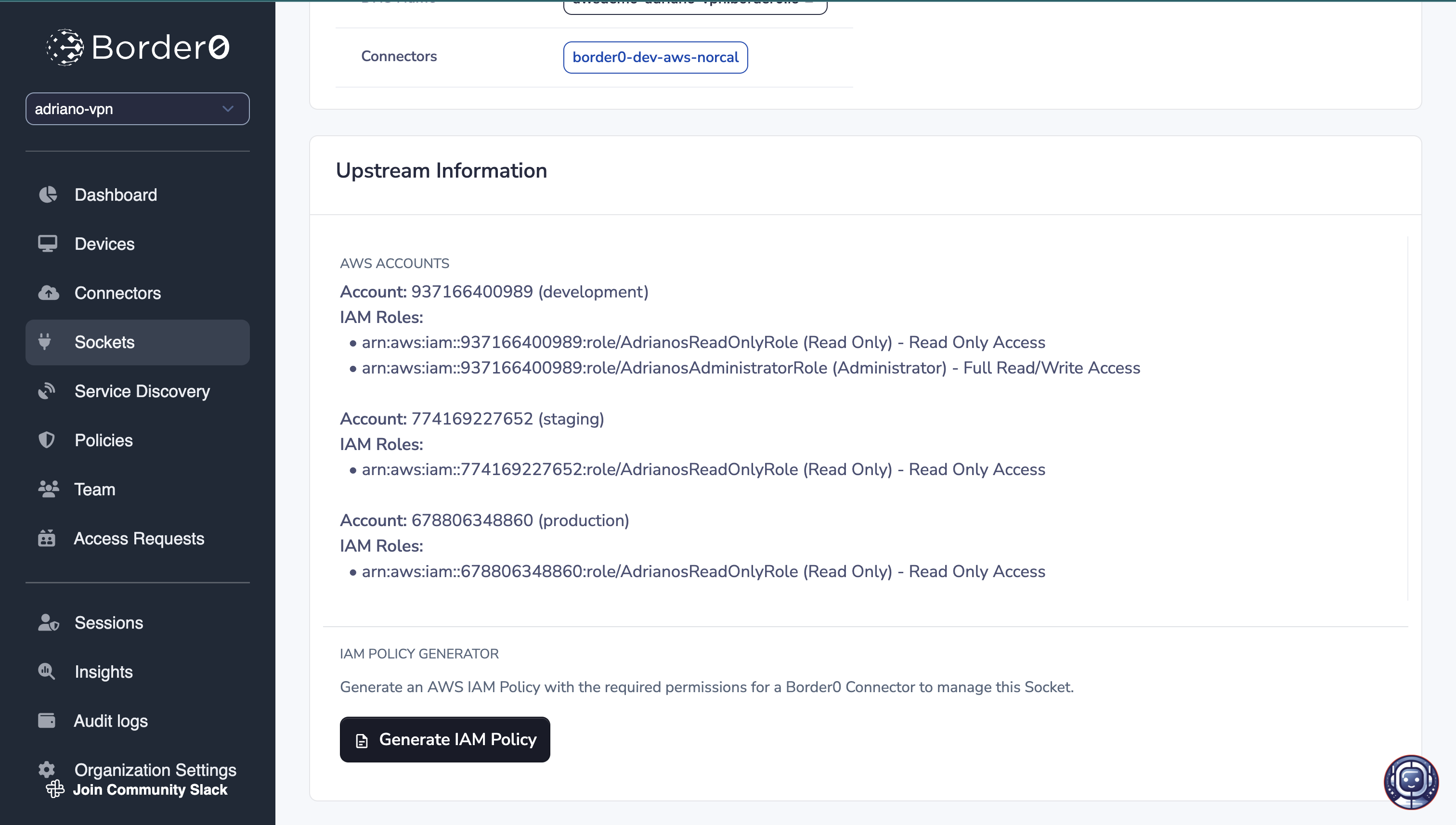
- Configure IAM Roles. These are the AWS Accounts and AWS Roles that your users will have access to via Border0.
- You may configure multiple AWS Accounts each with multiple AWS IAM roles
- Lastly, we select our target connector
- Click Create Socket at the bottom of the page
Required AWS IAM Credentials
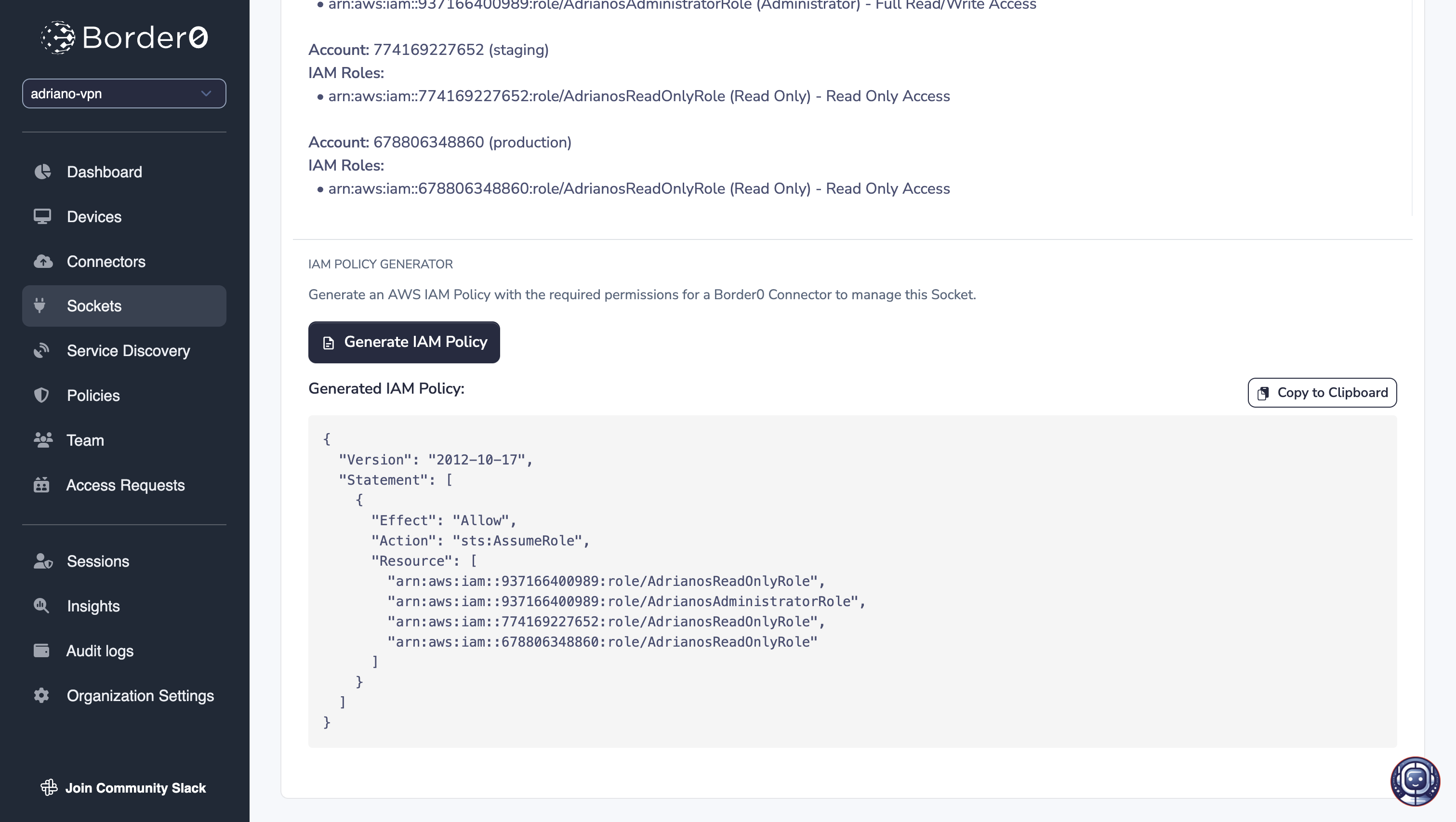
The Border0 AWS IAM role for the AWS credentials used by the Border0 Connector/Socket must have thests:AssumeRole permission for the configured roles. Note that you may generate the AWS IAM policy by using the "Generate IAM Policy" button in the Socket's page.
Restricting Access to AWS via Border0 Policies
Administrators can use Border0 Policies to limit users' access to specific AWS IAM roles, regardless of the roles configured in a Border0 Socket.
For example, a Socket may have many accounts, each with many roles. Using Border0 policies, you can ensure that certain users can only access a subset of those accounts and roles, and other users can access a completely distinct subset.
For users to see and be able to interact with AWS Access sockets, the AWS Access section of the policy must be enabled. Administrators may choose to additionally, and optionally, enable the AWS IAM Role ARNs allowlist. Once the allowlist is enabled, the default behavior changes from allow-all to deny-all - except for explicitly allowed AWS IAM Role ARNs.
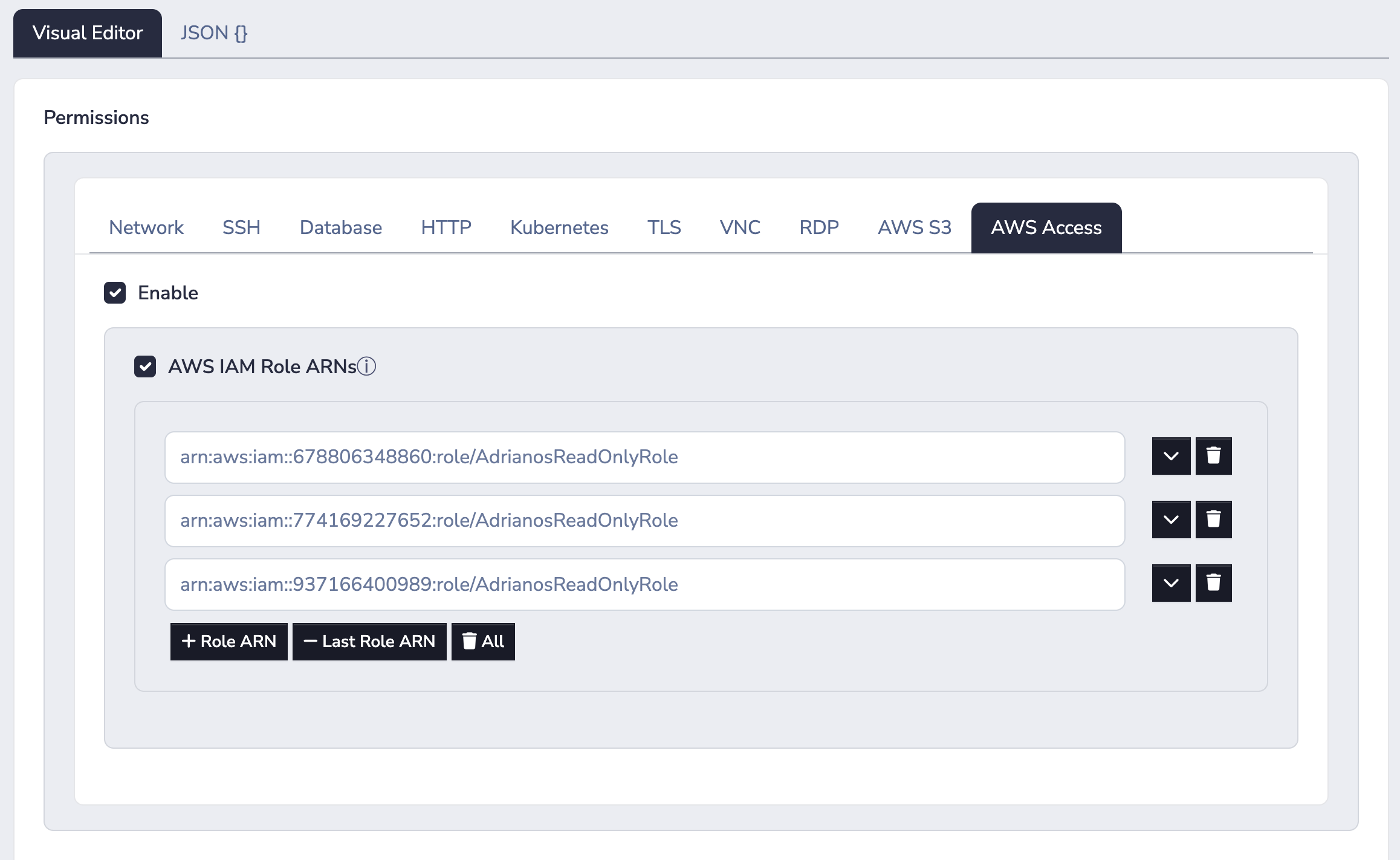
For example, in the Border0 Policy above, assuming no other Border0 Policies exist, the users mentioned in this Policy will have access to only the three roles mentioned, regardless of if the Border0 Socket's configuration mentions more roles.
Updated 10 months ago