

Access an AWS S3 Bucket
Enable your users to browse AWS S3 behind Border0 access controls and auditing capabilities.
Border0 enables access controls and audited access for S3 buckets by having your Border0 Connector act as a proxy between you users and the upstream AWS S3 APIs.
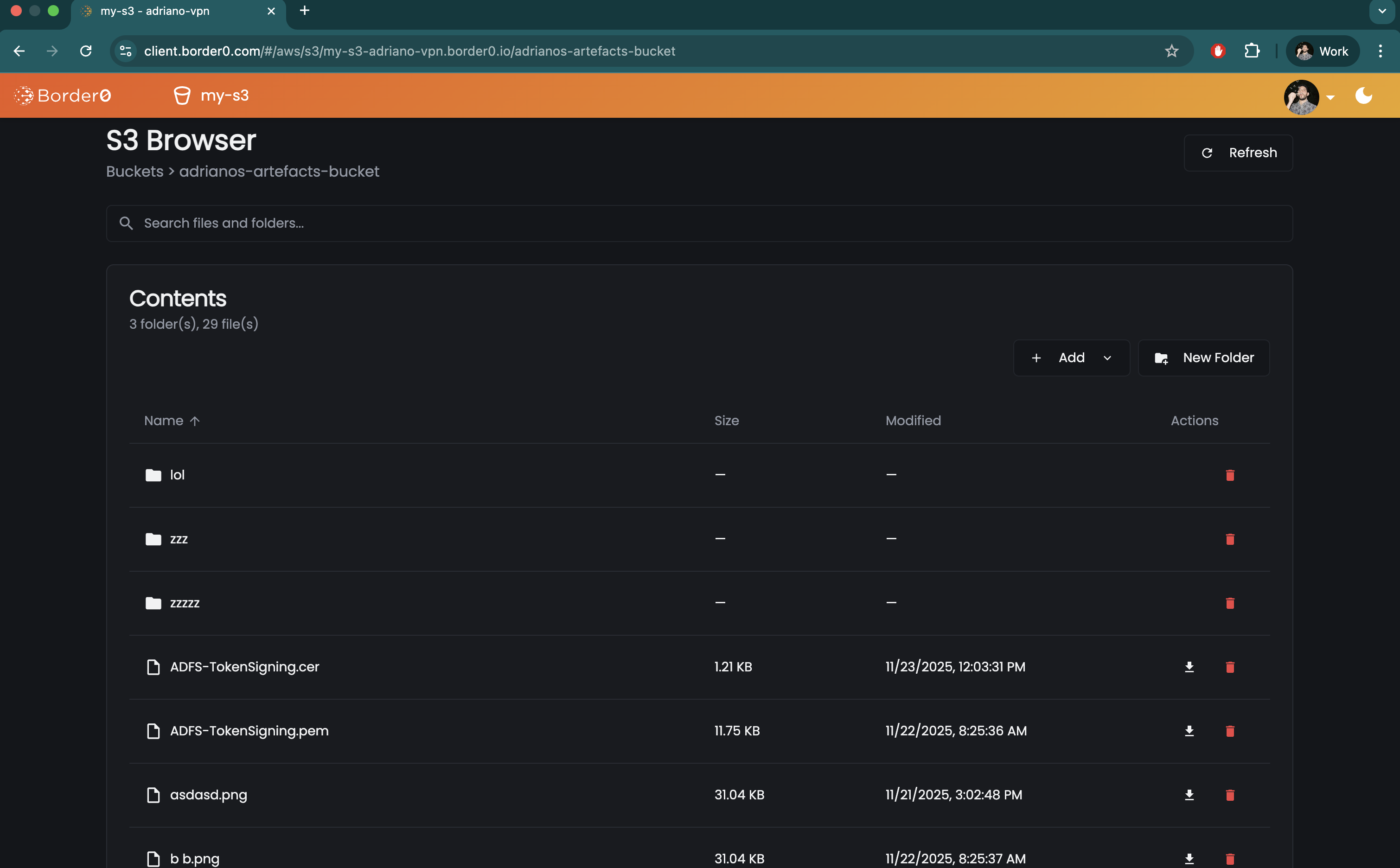
Your users may browse S3 using the AWS CLI, any other S3 client, or the S3 File-Browser built in the Border0 Client Portal:
Creating a Border0 Socket for AWS S3 Access
To make S3 buckets available over Border0, follow the following steps
- In the Sockets page, click on "Add New Socket" and click the AWS S3 tile
- Set a name and, optionally, a description
- Configure an AWS Credentials Strategy
- If your Border0 connector sits in AWS, it is recommended to use the Default Credentials Provider Chain and add the relevant S3 permissions to your Connector instance's execution role
- If your Border0 connector sits outside of AWS, you will have to create static AWS IAM User credentials and either (a) provide them in plain-text to Border0 via Socket configuration, or (b) the recommended approach: use a supported secrets management strategy
- (Optionally) configure an S3 Bucket Allowlist
- If the allowlist is not used, the socket will expose all available S3 buckets available based on the AWS credentials
- If the allowlist is used, only specific buckets matching the provided patterns (which may include wildcards e.g.
*-prod,prod-*,*demo*)
- Lastly, we select our target connector
- Click Create Socket at the bottom of the page
Required AWS IAM Credentials
Note that the S3 buckets and objects your users can list, read, write, or delete depend on the AWS IAM permissions of your Border0 Connector. For a user with full access to an S3 Socket in Border0 to perform an action on an S3 bucket, the connector attached to that socket must have permission to perform that action on the user’s behalf.
Restricting Access to AWS S3 via Border0 Policies
Administrators can use Border0 Policies to limit access to specific S3 buckets, paths (also known as S3 Object Keys), and actions such as list, read, write, and delete.
For users to see and be able to interact with AWS S3 sockets, the AWS S3 section of the policy must be enabled. Administrators may choose to additionally, and optionally, enable rules. Once rules are enabled, the default behavior changes from allow-all to deny-all - except for explicitly allowed buckets, paths, and actions.
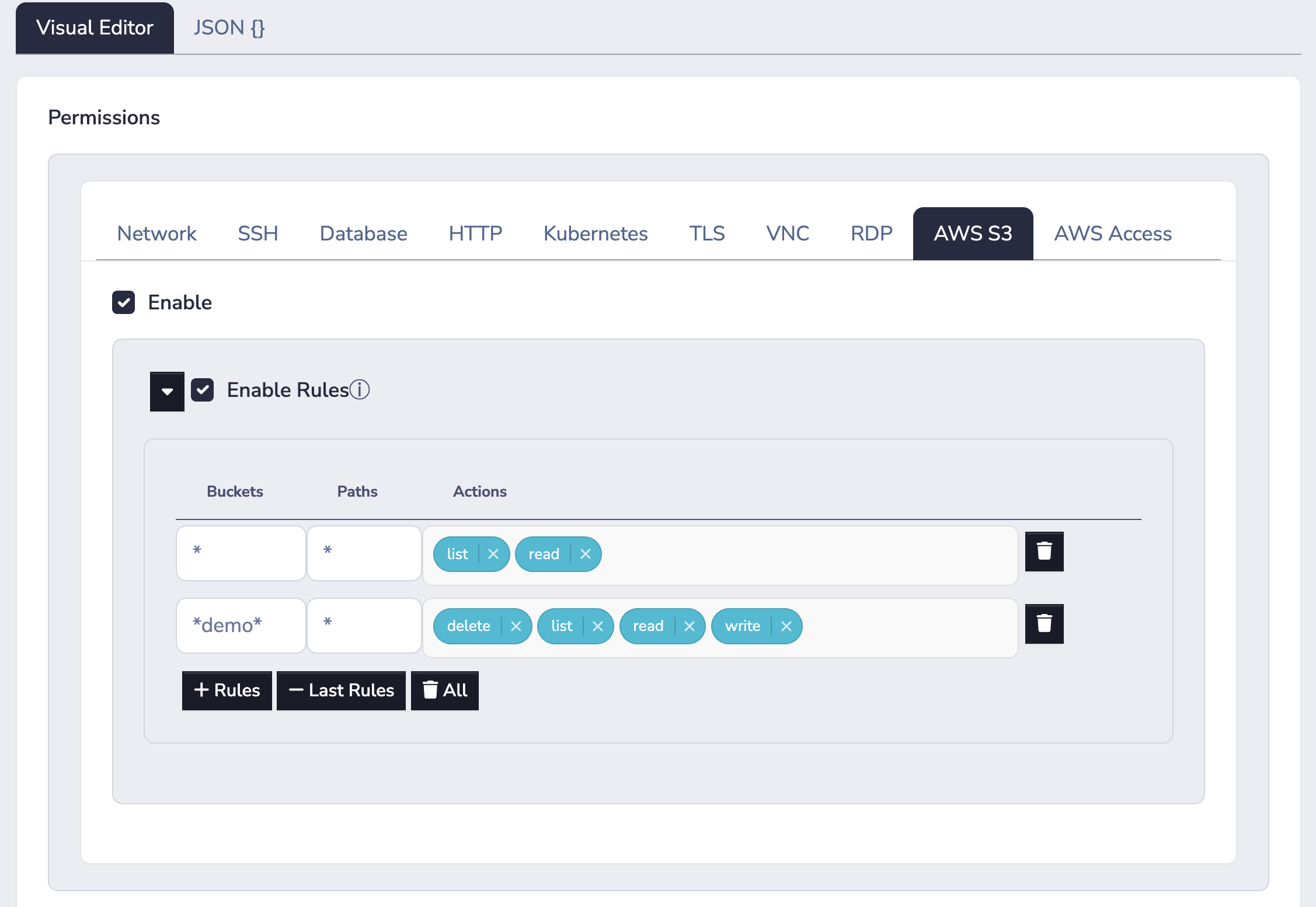
In the example policy above, list and read access is allowed for all buckets and all paths. While deletes and writes are only allowed for buckets containing the substring "demo" in the bucket name.
Updated 10 months ago